Running a home cleaning business on spreadsheets and group texts is a slow death. You're losing bookings, double-booking cleaners, and spending Sunday nights manually sending reminders that software would fire off in seconds. The fix isn't complicated: the right stack of tools handles scheduling, payments, and team management on autopilot, and most of it takes an afternoon to set up.
I’ve compiled a list of the 7 most important tools that a residential business needs and gets value out of, and explained which one is best for which size and type of business.
Hope this helps you improve your operations!
Why Cleaning Businesses Keep Picking the Wrong Software
The field-service software market is dominated by tools built for plumbing companies, electrical contractors, and HVAC fleets. These platforms handle dispatch routing for five technicians in three zip codes and job costing for $8,000 installations.
While cleaning businesses are service businesses, they are an afterthought to most of the leading companies. So they have a lot of features, but most of those you won’t need.
What Purpose-Built Software Actually Fixes
A platform designed for home cleaning handles the specific edge cases that generic field-service tools fumble: recurring weekly and biweekly bookings that adjust around holidays, dynamic pricing when a client adds rooms mid-booking, automated reminders timed for the day before a clean. These aren't exotic features. They're table stakes for a residential cleaning operation, and the tools in this list treat them that way.
The Right Questions Before You Commit
Before trialing any platform, ask three things: Can a non-technical person configure this in under a day? Does it handle recurring jobs natively, without workarounds? And does it have a mobile experience your cleaners will actually use? If the answer to any of those is no or unclear, keep moving.
The 7 Top Software Tools for Home Cleaning Businesses
These tools cover the full operational stack: scheduling, payments, team management, accounting, and communication. Not every business needs all seven. The goal is knowing which ones solve your specific bottleneck, and which ones to skip.
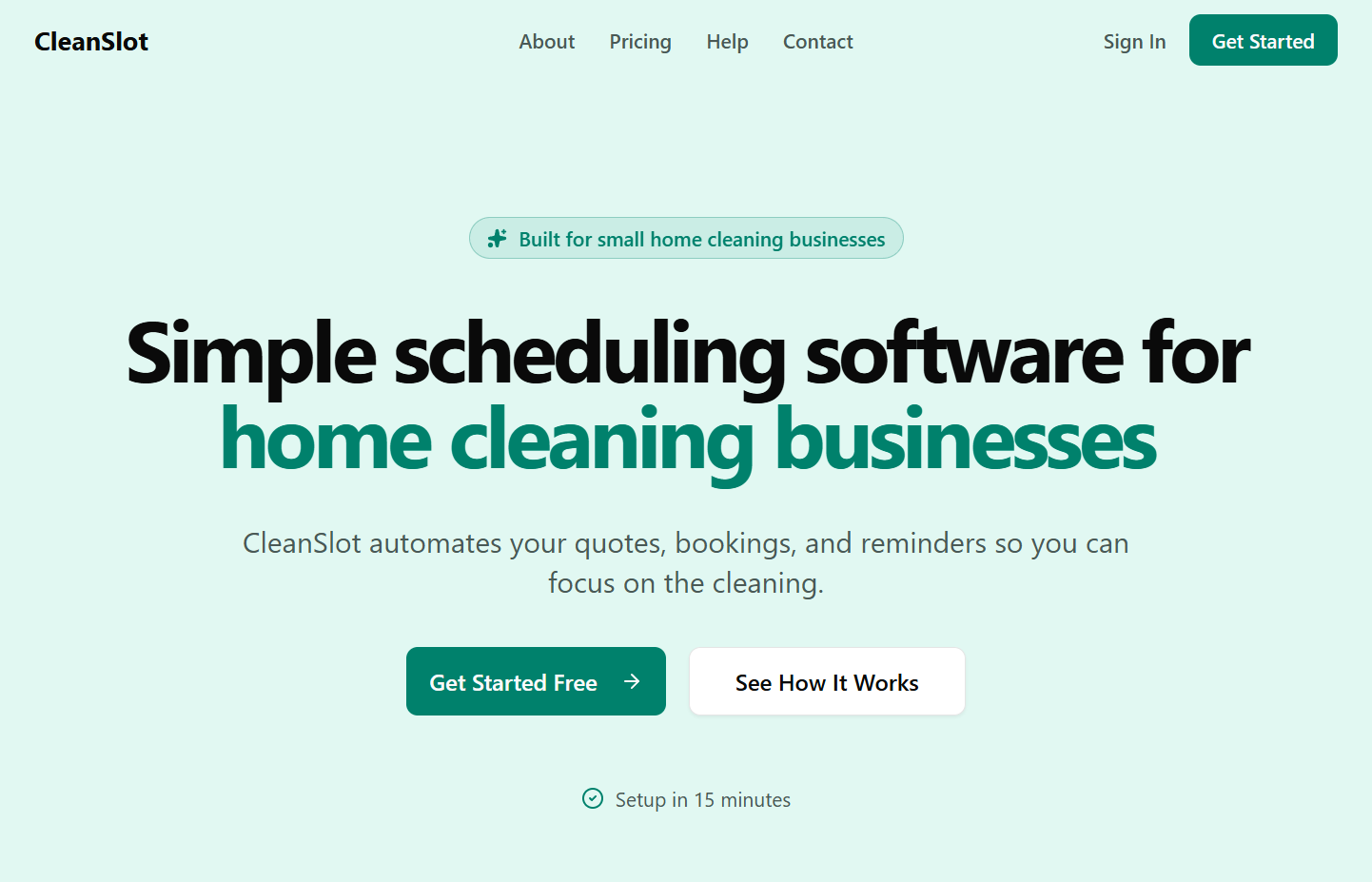
- CleanSlot. Purpose-built scheduling software for residential cleaning companies. It automates online booking, quotes, client reminders, and recurring job tracking, and collects payments through Stripe. Setup runs about 15 minutes because it's designed around cleaning workflows, not adapted from something else. Best for: Owner-operators and growing teams who want to replace manual admin without paying enterprise prices or spending a week in configuration.
-
Jobber. A field-service management platform with strong CRM features, a client-facing hub where customers can approve quotes and pay invoices, and solid reporting. More feature-rich than most cleaning businesses need at the start. Best for: Businesses managing 10+ active clients or multiple service lines who need deeper job history and two-way client communication baked in.
-
Housecall Pro. Well-known in the home services space for its online booking widgets, automated review requests, and dispatch tools. The feature set is broad and the UI is polished. Pricing jumps fast as you add users, so it rewards businesses that are already past the early growth stage. Best for: Established cleaning businesses with a team of 3 or more who need review automation and want dispatch features alongside scheduling.
-
ZenMaid. Designed exclusively for residential cleaning companies, so it doesn't carry the overhead of serving plumbers and electricians. Strong on recurring job management and team scheduling. Lighter on CRM and reporting than Jobber or Housecall Pro. Best for: Small cleaning businesses that want a cleaning-specific tool and don't need a deep feature stack.
-
QuickBooks. Not a scheduling tool. QuickBooks is the accounting layer: expense tracking, tax prep, profit and loss reporting, and payroll. Every cleaning business eventually needs it, and the sooner you set it up, the less painful tax season gets. Best for: Any cleaning business that's moved past cash payments and needs clean financial records. Pair it with a scheduling tool, don't use it instead of one.
-
Google Workspace. Calendar, Drive, Gmail, and Docs form the communication and document backbone for lean operations. Not a replacement for scheduling software, but essential for team-wide communication, storing SOPs, and managing job notes. The free tier covers most small cleaning businesses completely. Best for: Any business that needs organized shared documents and email without paying for a full CRM.
-
Stripe. The payment processing backbone that most scheduling tools connect to natively. If you're not using a platform with built-in payment collection, Stripe is the standalone option: low per-transaction fees, clean invoicing, and automatic card retries for failed payments. Best for: Businesses that want to handle payments independently of their scheduling tool, or that are still figuring out which platform to commit to.
The Mistakes That Cost Cleaning Businesses the Most
Most software regrets aren't about bad tools. They're about picking the right tool for a different business, or never getting past default settings. Here's where cleaning business owners lose the most time and money.
Buying for the Future Instead of the Present
A 3-person residential operation doesn't need GPS fleet tracking, custom API integrations, or multi-location inventory management. But those features look impressive in a demo, and platforms that include them charge for them whether you use them or not. If you're running fewer than 15 active recurring clients, the base tier of a purpose-built tool covers everything you need.
You can upgrade later. You can't get back the months of paying for complexity you didn't use.
Writing Off a Tool That Was Never Set Up Properly
This one is expensive and almost never diagnosed correctly. You trial a platform, it feels clunky, you move on. Six months later you're on your third tool. The real problem, more often than not, is that the trial never got past the default configuration.
No services were set up correctly, no pricing rules were entered, no reminders were activated. Bad setup produces a bad experience, and bad setup is not the same as bad software. If a platform doesn't work after you've actually configured it, that's a legitimate reason to leave. A half-built trial isn't.
Testing the Desktop Demo and Skipping the Mobile Reality
Your cleaners aren't at desks. They check job details from a parking lot two minutes before a clean starts. If the mobile app is clunky, confusing, or missing key information, your team will stop using it and you'll be back to texting job details by hand.
Always test the mobile experience yourself, on your phone, before committing to a platform. A tool that looks sharp on a 27-inch monitor means nothing if it falls apart at 375px.
How to Evaluate Software Before You Commit
Most platforms offer a free trial. The instinct is to click around and see if it "feels right." That's not an evaluation: it's a demo with extra steps. A real trial means simulating your actual workload in the platform before your first invoice.
Run a Real Test, Not a Toy Test
In your trial, do exactly what you'd do on a normal Monday morning:
-
Create two real clients with different cleaning frequencies (weekly vs. biweekly).
-
Set up a recurring booking for each and confirm the reminders fire automatically.
-
Add a team member and assign them to a job.
-
Process a test payment or verify the Stripe connection works end to end.
-
Check the mobile app: can your cleaner see their jobs, access client notes, and mark a job complete from their phone?
If any of those steps requires a support ticket to complete, that friction scales with your business. Every added client multiplies the confusion.
Read Support Reviews, Not Just Feature Lists
Every platform looks good on its own features page. Support quality only shows up in reviews, and only after something's gone wrong. Check G2, Capterra, and Google Play for recent reviews, and look for patterns in the complaints. A tool with slightly fewer features and a support team that responds in under two hours will outperform the feature-rich platform with a 48-hour ticket queue every time.
Key Takeaways: Build a Stack That Matches Your Operation
The top software tools for home cleaning businesses aren't magic. They work because they're designed around the actual workflow: recurring bookings, mobile teams, client reminders, and payment collection. Stop trying to adapt enterprise tools to a residential cleaning operation and start with something built for it.
-
Start with scheduling. It's the highest-leverage tool in your stack, and everything else plugs into it. CleanSlot, ZenMaid, Jobber, and Housecall Pro all cover this, at different price points and complexity levels.
-
Connect your payments to your scheduling platform. Chasing invoices manually is the fastest way to lose money you already earned.
-
Buy for your current operation, not your projected one. You can scale your software when your business actually scales.
-
Trial aggressively, but test with real data. Configure the tool properly, run your real workflow through it, and check the mobile experience before you decide anything.